


Content


Website speed has long ceased to be merely a technical issue. If a page loads slowly, elements jump around during viewing, or the interface responds with a delay, users are more likely to leave the site before even interacting with its content. This is precisely why, several years ago, Google began evaluating not only page content but also the actual user experience. Today, Core Web Vitals are part of the Page Experience signals system and help assess how comfortable a website is to use.
Core Web Vitals are a set of metrics that measure loading speed, interface stability, and the site's responsiveness to user actions. Their main goal is to evaluate the experience of real visitors, not just technical server parameters. This is why Google uses field data from the Chrome browser, rather than relying solely on lab tests.
Even before the advent of CWV, the search engine considered mobile adaptability, HTTPS, and loading speed. However, these signals only indicated individual aspects of resource quality. The new approach allowed for the evaluation of the actual user experience during site interaction.
Google officially confirms that user experience metrics are included in ranking signals. At the same time, quality content and relevance remain more important factors. Good CWV scores help improve the overall perception of a resource and reduce technical barriers for the user.
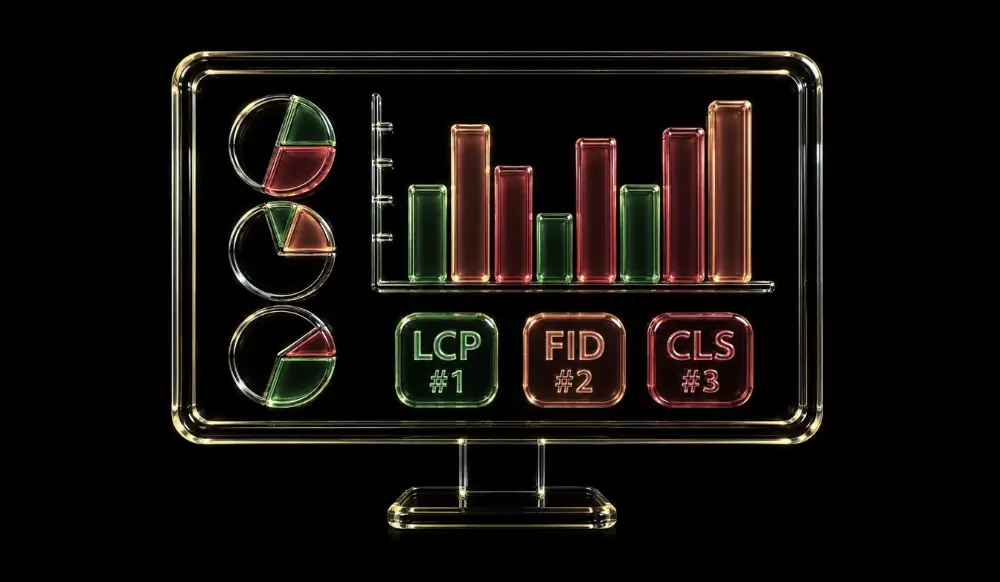
In 2026, three metrics remain the foundation of evaluation. They cover loading, interactivity, and visual stability. Together, these metrics paint a picture of how comfortable a person's experience with a website is.
LCP indicates how long it takes for the largest visible content element to appear on the screen. This is most often the main image, a banner, or a large text block. A result of up to 2.5 seconds is considered good.
INP measures the interface's reaction speed after a click, button press, or other interaction. The metric shows how quickly the browser displays the result of a user's action. This particular metric helps assess the real responsiveness of the interface today.

CLS measures unwanted element shifts during loading. If a button or text suddenly moves when clicked, the user has a negative experience. A low CLS value indicates a stable page structure.
FID only evaluated the user's first interaction with a site. This proved insufficient for a complete understanding of interface performance. This is why Google replaced it with INP, which accounts for interactions throughout the entire session.
CWV are evaluated using a color-coded zone system, which helps quickly understand a resource's status. Each metric has its own threshold values. These are precisely what are used in PageSpeed Insights and Google Search Console.
Google divides metrics into three zones: good, needs improvement, and poor. The green zone means the user experience meets the recommended level. The yellow and red zones indicate where technical optimization is needed.
The table helps quickly identify which specific metric poses the greatest risk to UX.
Mobile versions typically encounter slower internet speeds and less powerful devices. This is why achieving good results there is more challenging. In most cases, mobile metrics become the primary benchmark for optimization.

Google Core Web Vitals don't impact SEO as directly as often perceived. A website with excellent technical performance won't outperform a resource with significantly higher quality content solely due to speed. However, a good user experience helps reduce traffic loss and enhances overall SEO effectiveness.
Google confirms that Page Experience is one of the ranking signals. However, its weight is lower than relevance, content, and link quality. This is why improving CWV should be considered part of a comprehensive SEO strategy.
When a website loads quickly, users find it easier to interact with the content. This can positively influence engagement depth, interaction time, and conversions. As a result, the resource receives a stronger user signal.
Web Core Vitals can be checked using several tools simultaneously. Each tool reveals different aspects of performance. Combining multiple sources provides a more complete picture.
PageSpeed Insights provides a score in a matter of seconds. The service displays both field and lab data. It also offers specific recommendations for improvement.
Google Search Console immediately highlights issues for groups of URLs. This helps identify systemic errors affecting a significant portion of the resource. The Core Web Vitals report is particularly useful.
These tools are actively used by developers. They allow for local page testing and analysis of individual performance elements. This makes it easier to pinpoint the sources of problems.
Field Data is based on real user interactions. Lab Data is generated during controlled testing. Both approaches are important, but field metrics better reflect the actual visitor experience.
CWV often decline specifically due to LCP issues. The largest content element can load slowly because of heavy images, server problems, or blocking resources. This is why LCP optimization usually yields the quickest results.
Modern formats significantly reduce graphic file sizes. WebP and AVIF offer good quality with smaller file sizes. This helps display core content faster.
Lazy loading defers the loading of elements that the user hasn't seen yet. This allows the browser to focus on the most important content. This approach often positively impacts the display speed of the initial viewport.
Content Delivery Networks (CDNs) reduce the distance between the server and the user. Caching allows for the reuse of already loaded resources. Together, these technologies help speed up website performance.
The TTFB metric shows how quickly the server starts responding to a request. A slow response can negatively impact all subsequent loading stages. This is why backend optimization is often one of the most crucial steps.
Before starting work, it's worth checking the following:
This checklist helps identify priority areas for optimization.
Core Web Vitals should be analyzed comprehensively, not through a single metric. It's best to start by checking actual metrics in Google Search Console and PageSpeed Insights. After that, you can determine which issues most impact user experience and business metrics.
Good loading speed, interface stability, and site responsiveness directly impact how users interact with a resource and whether they complete a target action. This is precisely why Core Web Vitals remain a crucial part of modern SEO, not just abstract technical parameters.
If you need a comprehensive technical audit, in-depth CWV analysis, and a step-by-step optimization plan, the Locomotive Digital team, as part of its SEO service, will help identify resource bottlenecks and prepare it for stable organic growth.
AI website audit
Enter your website address and get results instantly.

Request a free audit — our expert will prepare a personalized action plan.
Your data is securely protected